01 / LIVE METER
Exposure, resolved.
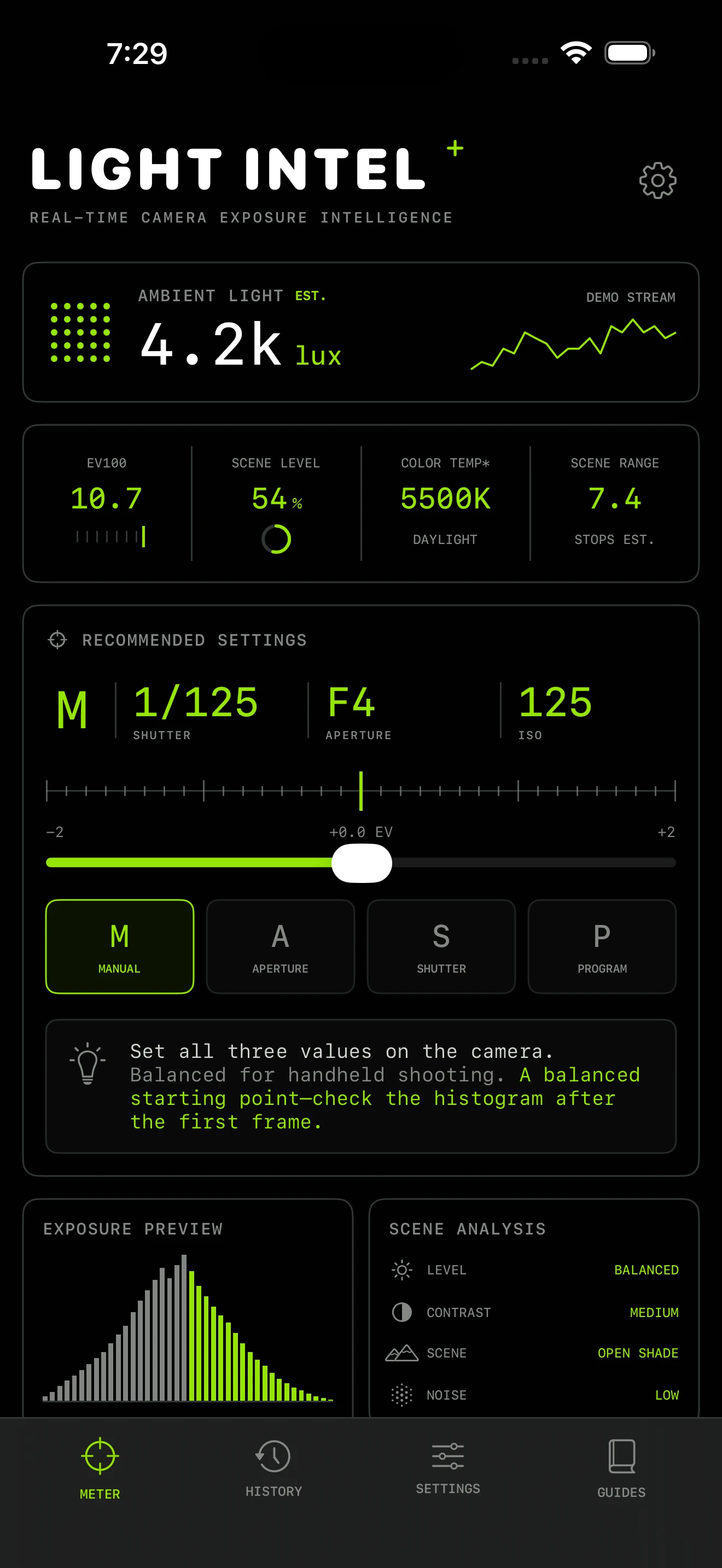
EV100, estimated lux, histogram, scene brightness, contrast, and a usable shutter–aperture–ISO starting point update with the light.
Exposure intelligence · iPhone
Live scene analysis and practical camera settings for photographers who want to spend less time guessing and more time shooting.
No account · No tracking · Camera frames stay on device
Light, translated
Light Intel turns a live camera feed into information you can use at a glance—without burying the exposure decision in camera-menu jargon.
EV100, estimated lux, histogram, scene brightness, contrast, and a usable shutter–aperture–ISO starting point update with the light.
Read shadows, midtones, and highlights before you commit.
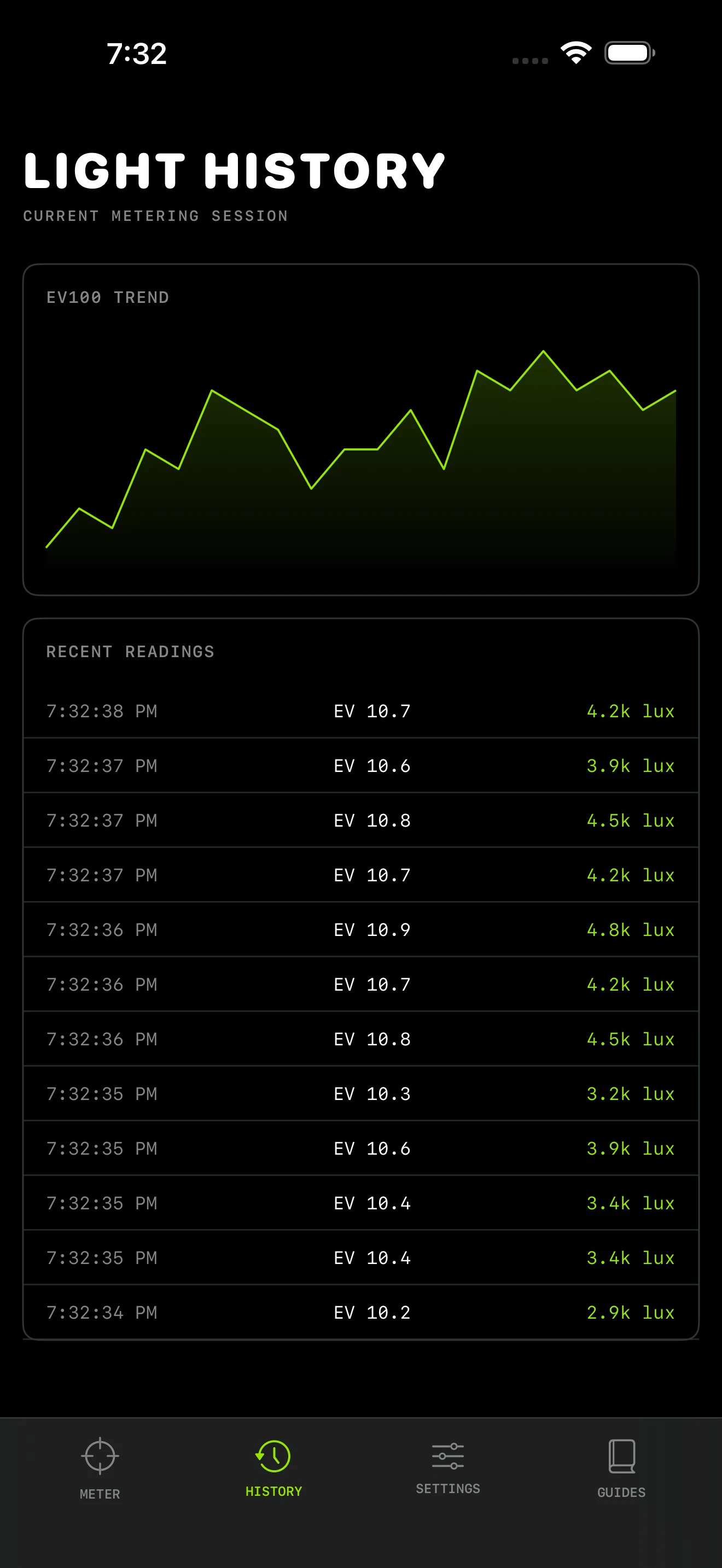
Watch EV and lux move through a session instead of relying on memory.
Compact, practical guidance makes exposure decisions clearer without turning the app into a textbook.
See the workflow →Four views · one decision
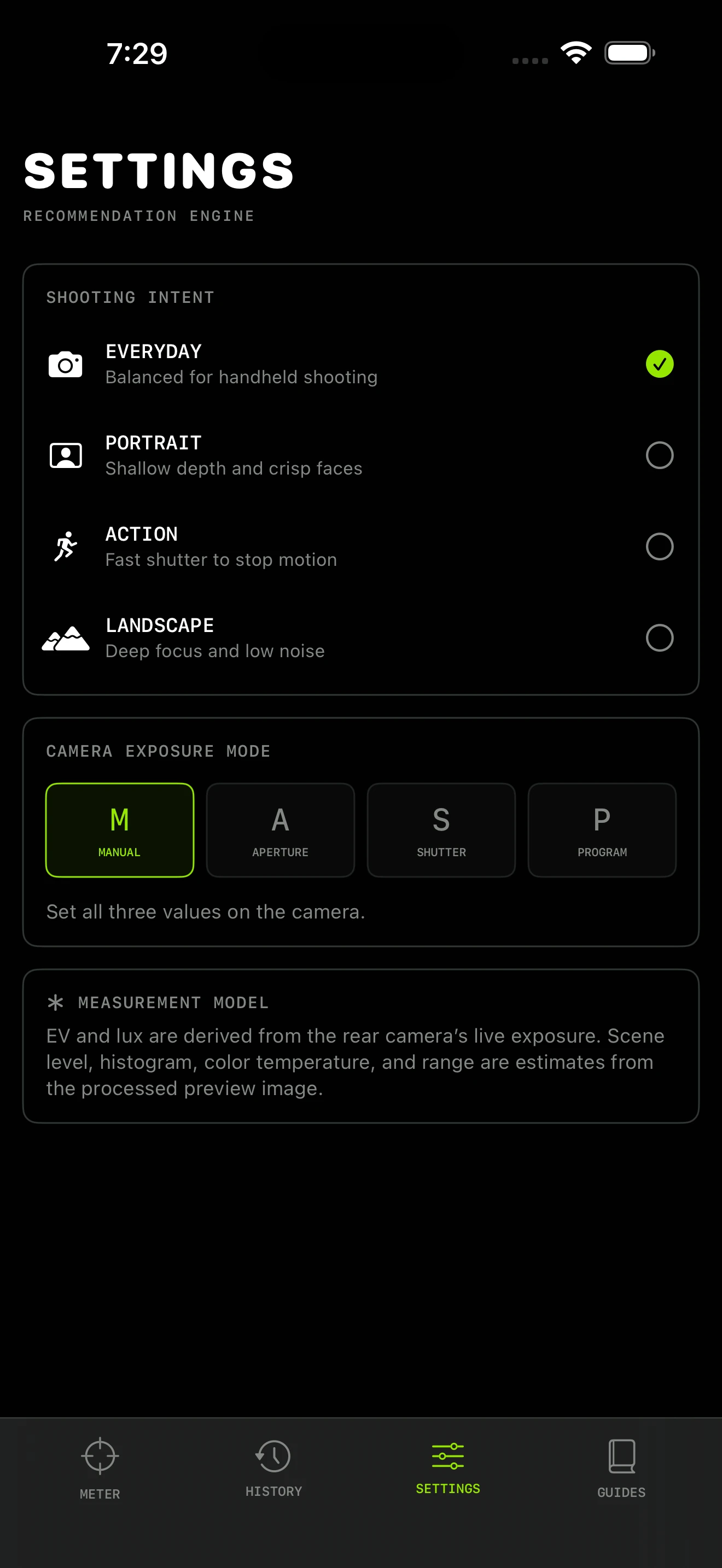
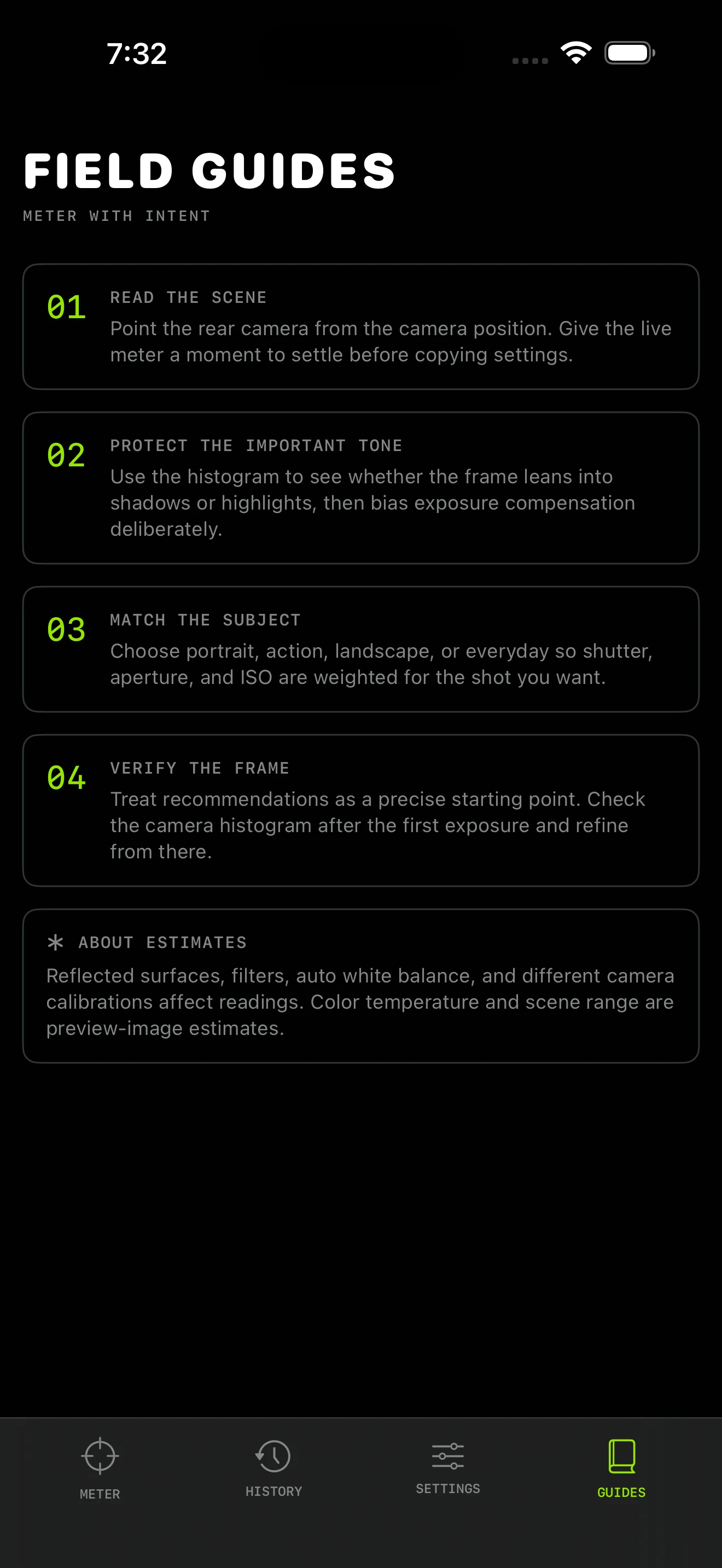
Meter the scene, watch the session, tune the model, and carry field guidance without leaving the same visual system.
Scroll the gallery
Three beats
Light Intel keeps the process short enough to disappear when the moment arrives.
Frame the light you want to understand. The rear camera begins reading as soon as you open the meter.
Pick Everyday, Portrait, Action, or Landscape so the recommendation reflects the photograph you’re trying to make.
Start with the recommended shutter, aperture, and ISO. Then use exposure compensation when the subject or your taste calls for it.
Private by design
Analysis happens on your device while the meter is open. Light Intel doesn’t save photos or video, doesn’t require an account, and doesn’t include analytics, ads, or tracking SDKs.
Read the privacy policy →Version 1.0 · iPhone
One focused photography tool. No subscription, account, advertising, or in-app upgrade ladder.
Before you ask
No. It is a reflected-light meter derived from the rear camera’s exposure response. Like a camera meter, very bright or dark subjects can call for exposure compensation.
No. Camera frames are processed on device while the meter is open and are not captured, saved, or uploaded.
The recommendations use standard shutter speed, aperture, and ISO values, so they’re useful with most digital and film cameras that offer manual exposure control.
Light Intel is intentionally small and focused. The launch price keeps it an easy addition to a photographer’s field kit without turning a simple meter into a subscription.